# CMDB-360 OCI Compartment Isolation Architecture
Oracle Cloud (OCI) provides support for multiple “customers” that are managed within a single, main OCI tenancy. This design is occasionally used by Managed Service Providers (MSPs) to manage the IT infrastructure and services for multiple customers or organizations that do not have their own separate OCI tenancy. This design may also be used for a large organization that wishes to sub-divide various smaller departments into their own respective space within the larger, main tenancy. Using OCI’s nested compartment architecture, compartment-based policies and budgets, MSPs can effectively manage access and resources across these different “customer” environments within a single OCI tenancy.
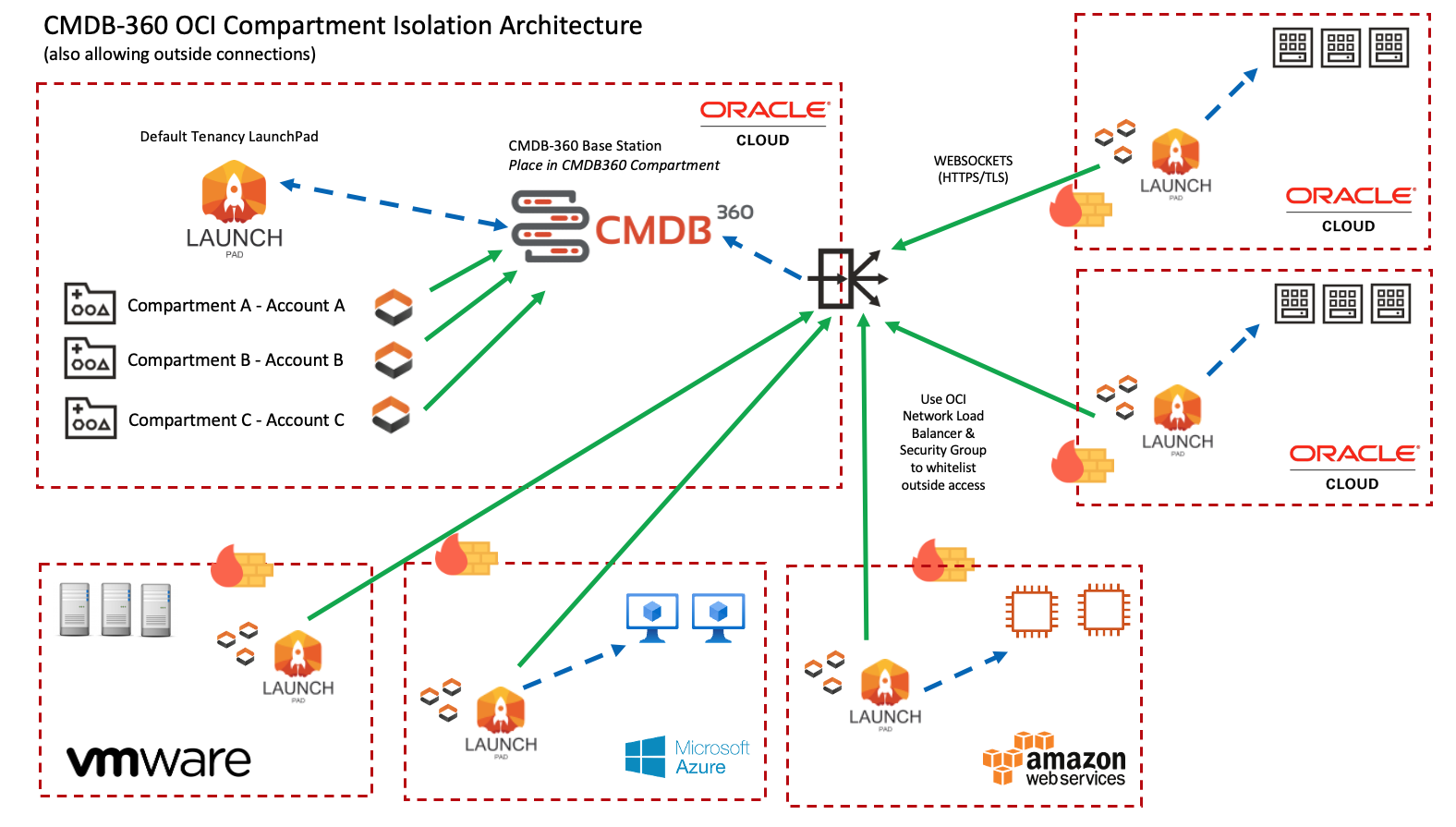
CMDB-360 supports the OCI compartment feature described above in what we refer to as “Compartment Isolation Architecture”. CMDB-360 customers may deploy their CMDB-360 Base Station in their own OCI tenancy, preferably in a separate compartment called “cmdb360”. A default LaunchPad may also be installed in this same cmdb360 compartment if desired. Additional “customer” accounts may then be deployed within other compartments in the same tenancy as the CMDB-360 Base Station.
Note
Please note that there are multiple deployment options available for the CMDB-360 Base Station that are outside the scope of this document. The goal of this document is to provide context and instruction as to how you can tailor the discovery feature of the OCI Satellite to work with the compartment features of OCI when you wish to view compartments as isolated “customers”.
The following architecture diagram represents, at a high level, the connectivity from Satellites from within one master OCI tenancy and also from external Satellites if desired:
# Compartment Architecture In OCI
OCI Compartments may be deployed in any manner suited to the management of the “customer” account resources. For example, each account may have a top-level compartment that is a sibling of other accounts as shown below:
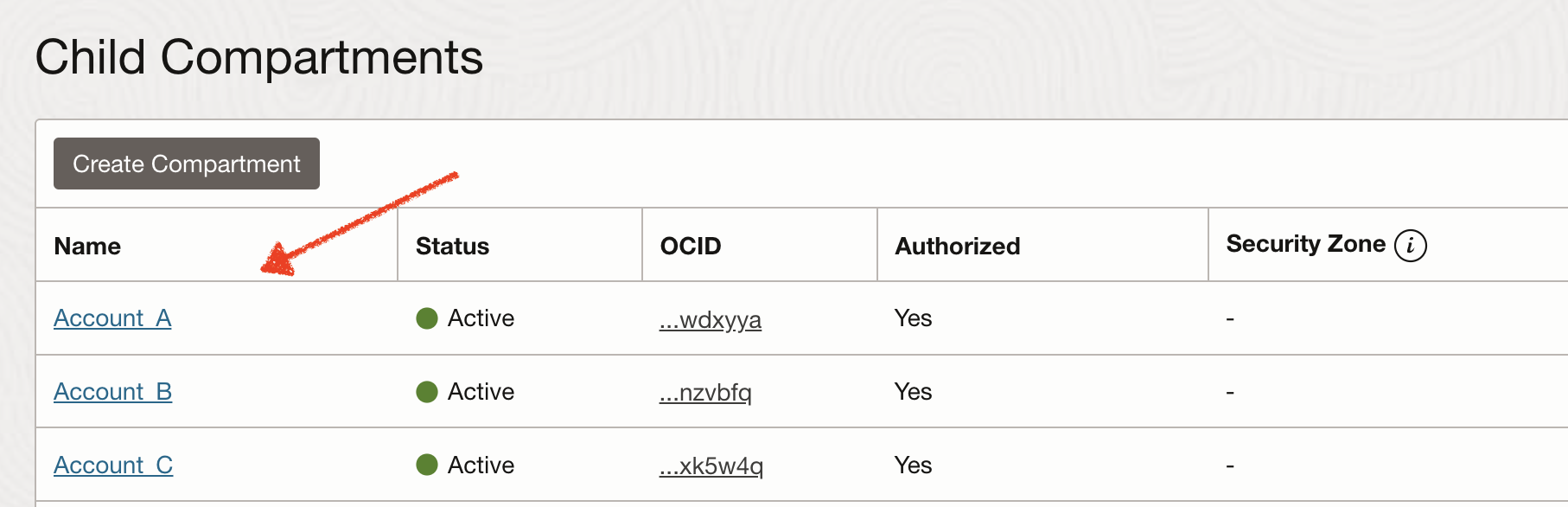
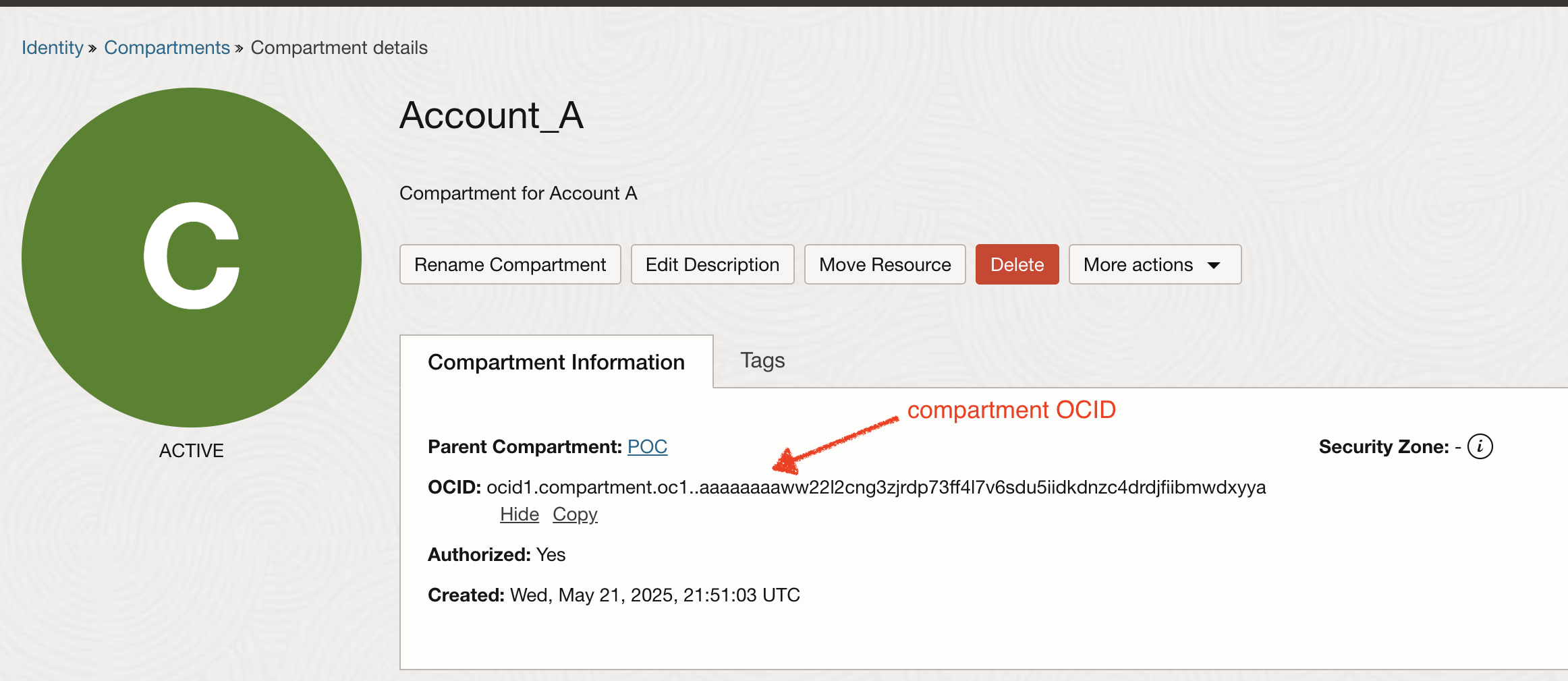
Open the compartment detail to access the Oracle Cloud unique ID, known as the OCID, for the compartment (which will be necessary to configure the satellite in CMDB).
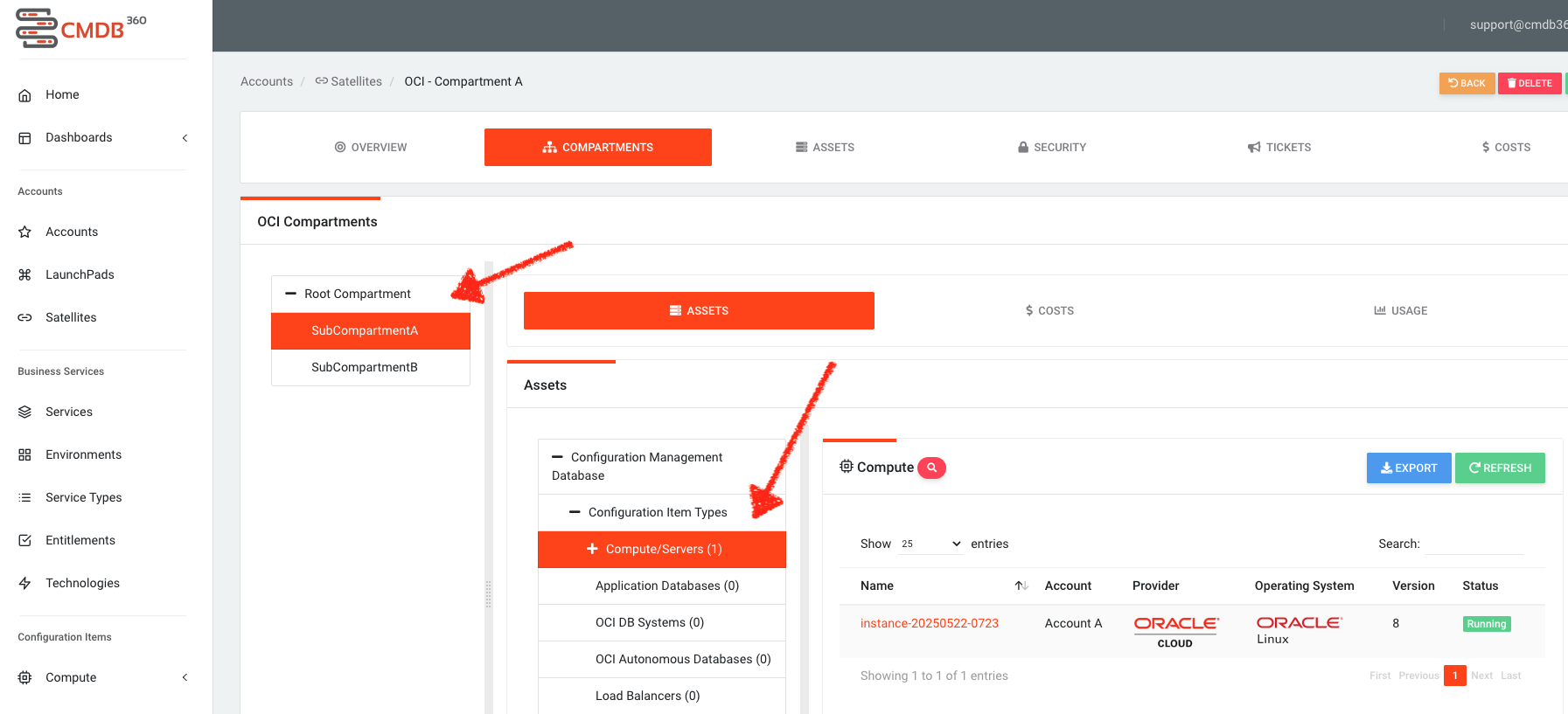
For illustration purposes, we can also create a few sub-compartments under one of our top-level account compartments. For example, let’s create SubCompartmentA and SubCompartmentB that could possibly represent a compartment for an application or other environment that belongs to Account A:
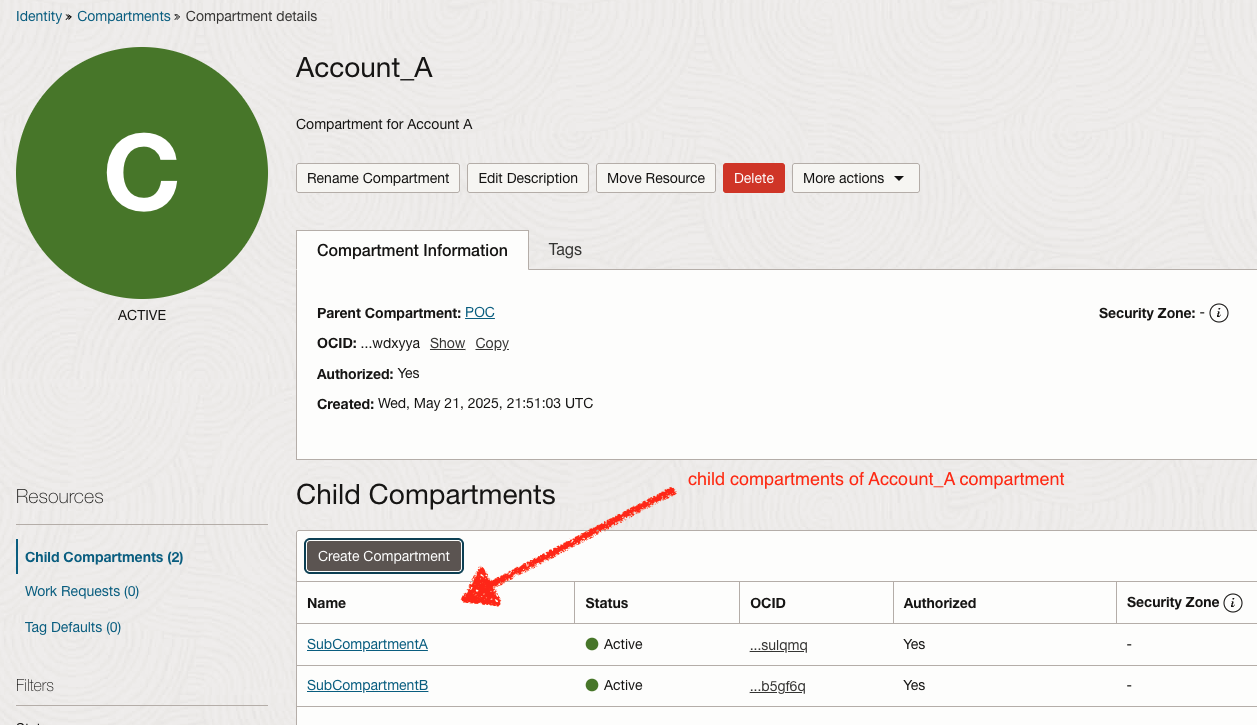
Resources deployed within these compartments can now be discovered by the CMDB using the satellite configuration described in the section below.
# CMDB-360 Satellite Configuration
In order to discover the contents of each of the created compartments, an OCI Satellite may be deployed and configured to that specific compartment as the “entry point” or “root” of the main OCI tenancy. This means that the satellite will only scan the contents of that compartment and its sub-compartments. You are essentially defining the new “root” of the tenancy for that particular OCI Satellite to discovery and access assets.
You may use the default Base Station LaunchPad to deploy the OCI Satellites (since they are in the same tenancy) or you may deploy individual OCI Satellites into each compartment from the OCI Marketplace if you wish. There is no difference in the configuration requirements described below. The only difference is in the deployment method used.
Note
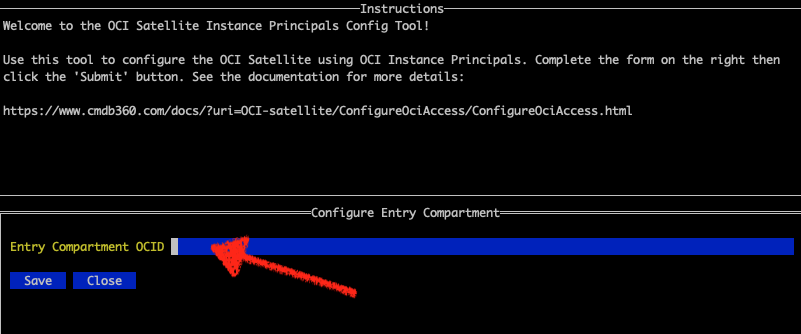
We will illustrate the configuration of an OCI Satellite using the “named user” authentication model. You may also do the same configuration using OCI Instance Principals by running the /opt/satellite/bin/PrincipalsConfig program and adding the “Entry Compartment OCID”.
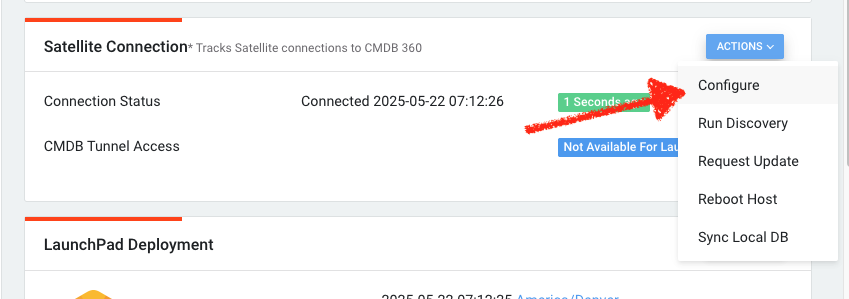
Once your OCI Satellite has been deployed, click to configure it to the OCI account:
Next, simply configure your OCI Satellite. Make sure to complete the “OCI Compartment” field as shown below:
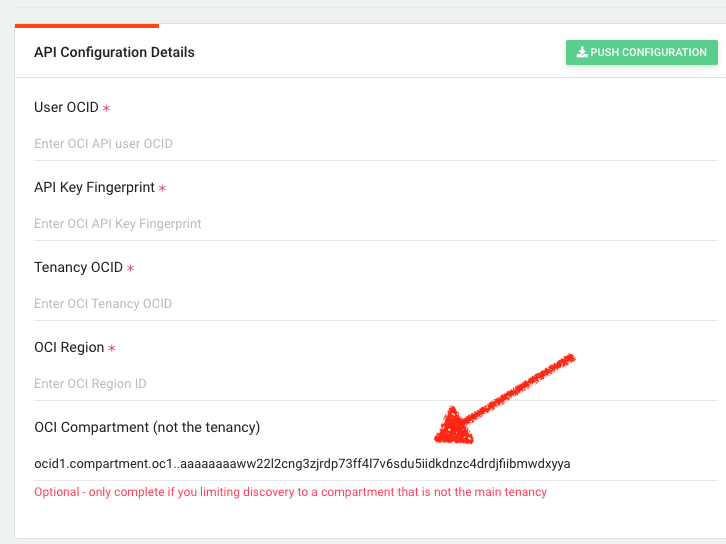
You are now designating the “entry point” of the OCI Satellite to begin discovery. In this example, we are adding the OCI ID (OCID) of our Account_A compartment described above.
# Instance Principals Method
If you are using Instance Principals to provide API authorization to your OCI Satellite, you will need to configure the compartment entry point using the PrincipalsConfig tool as shown:
# Discovered Compartments & Cloud Resources
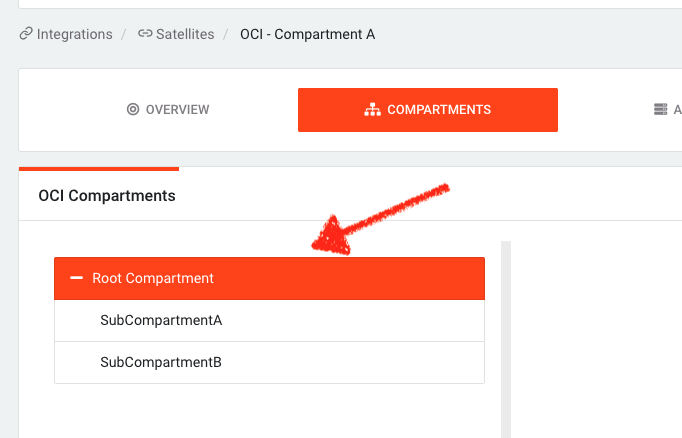
Once the OCI Satellite discovery process initiates, you will see the discovered compartments within the CMDB-360 as shown:
And any deployed cloud resources such as OCI compute will be shown in their respective compartment as shown: